SBP QR Payment in Russia: Ruble Balance Funded With USDT
How SBP QR payments work for a USDT holder in Russia: convert USDT to rubles, then pay the QR in rubles. Worked price example, networks, QR types, steps.
Contents
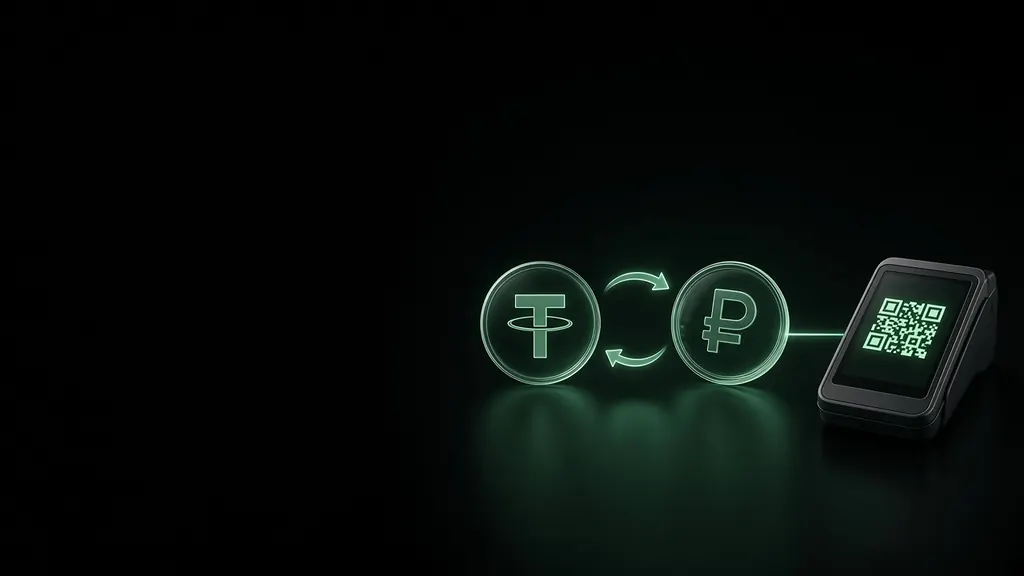
An SBP QR payment in Russia from a USDT balance takes two steps: you convert USDT to rubles inside the Matrimix Telegram wallet, then scan the shop's SBP QR code and pay it from your ruble balance. The merchant receives rubles over SBP, never crypto. As of October 2026 the cost is a 3% fee per payment; rubles are bought with USDT at the wallet rate, shown before you confirm.
Key facts (October 2026)
- SBP QR codes («СБП», the Faster Payments System) are shown at tills, in taxis, at hotel and museum desks and on websites at checkout. Whoever pays them must pay in rubles.
- QR fee: 3% of the check, shown as a separate Fee line before you confirm.
- Conversion: USDT is converted at the wallet rate, shown before you confirm. A QR quote lives about 30 seconds.
- The full cost of a payment, line by line, is in the worked example below.
- Limits: from 1 ₽ to 200,000 ₽ per payment; 200,000 ₽ and 20 payments a day; 1,000,000 ₽ and 100 payments a month. The ruble balance holds up to 200,000 ₽.
- Fund the wallet with USDT on TRC20, TON, Solana, BEP20 or ERC20. Deposits are free; the sending network takes its own fee.
- QR payments are taken from the ruble balance only, so convert first.
How it works: two steps, two currencies
Matrimix does not pay merchants in crypto. Russian law (Federal Law 282-FZ, in force since 1 September 2026) forbids accepting digital currency as payment for goods and services, and the product is built around that.
- Conversion. In the wallet you swap USDT for rubles. The rubles sit on an internal ruble balance, much like a ruble account.
- Payment. You scan the SBP QR code and pay it from that ruble balance. Our payment partner sends rubles over SBP, and the merchant sees an ordinary SBP payment, the same as from a Russian bank app.
The two steps are separate operations: you can convert in the morning and pay in the evening. What the law says in plain words: is crypto legal in Russia. This is not legal advice.
The price, line by line: a 2,000 ₽ check
Here is a lunch bill of 2,000 ₽. Suppose, for illustration, the wallet rate is 76.40 ₽ per USDT; the real rate is on your screen.
| Step | What you see | Value |
|---|---|---|
| The check | Amount | 2,000 ₽ |
| QR fee | Fee 3% | 60 ₽ |
| Taken from the ruble balance | You pay | 2,060 ₽ |
| Wallet rate (illustrative) | Rate on the Swap screen | 76.40 ₽ per USDT |
| USDT needed for 2,060 ₽ | You send | about 26.96 USDT |
The arithmetic:
- Rubles needed: 2,000 + 3% = 2,060 ₽.
- USDT needed: 2,060 ÷ 76.40 ≈ 26.96 USDT.
The exact numbers, including the current rate, are on the screen before you confirm. Current tariffs are on /fees.
Ways to keep the cost down
- Convert once for a few days. One swap of the amount you expect to spend means fewer steps at the till. Do not convert far more than you need: swapping rubles back to USDT also goes at the wallet rate.
- Fund through a cheap network. The wallet takes no deposit fee, but the sending network does. TON, Solana and BEP20 are usually cheaper to send than ERC20.
- Do not split bills to save. The fee is a percentage, so splitting changes nothing except your daily count of 20 payments.
Which USDT network to fund
| USDT network | Deposit address | What to know |
|---|---|---|
| TRC20 (Tron) | USDT TRC20 | The most common network on exchanges; the sender needs TRX or energy for the fee |
| TON | USDT TON | Cheap, convenient from other Telegram wallets |
| Solana | USDT Solana | Fast and cheap |
| BEP20 (BNB Chain) | USDT BEP20 | Cheap; a frequent withdrawal option on exchanges |
| ERC20 (Ethereum) | USDT ERC20 | Works, but the sender's network fee is the highest |
The ruble rate does not depend on the network, so pick the one that is cheapest for you to send from. Always send on the network of the address: USDT sent on ERC20 to a TRC20 address can be lost. USDC and other coins in the wallet can also be swapped to rubles.
Which QR codes work
| What you see | Works? | Note |
|---|---|---|
| SBP QR on a terminal screen or printed on the bill, with the amount inside | Yes | The usual case at tills and in cafes |
| SBP QR sticker without an amount (static code) | Yes | The wallet asks you to enter the amount; agree it with the seller first |
| SBP payment link at an online checkout marked «СБП» | Yes | Copy the link and paste it in the wallet |
| SBP QR shown by a taxi driver, courier or hotel desk | Yes | Check the amount before you slide |
| A code the camera cannot read (some Sber codes, glare) | Usually | Take a photo of it and use From gallery |
| SBP tap-to-pay at a terminal (NFC) | No | Ask for a QR code instead |
| Alipay or WeChat Pay codes, menu links, crypto addresses | No | The wallet shows "This QR is not supported." |
SBP payment links usually start with qr.nspk.ru. If a seller hesitates, the phrase «Можно оплатить по QR-коду СБП?» (Mozhno oplatit' po QR-kodu SBP?) means "Can I pay by SBP QR code?".
Step by step: pay an SBP QR code
Before the trip, or the evening before
- Open @MatrimixBot and launch the Mini App. The interface is in English or Russian (Profile → Settings → Language).
- On the wallet screen tap Deposit, pick USDT and a network, copy the address and send USDT to it.
- Tap Swap, set You send to USDT and You get to RUB, check the rate and slide Slide to swap. You can also open the Ruble card in your asset list and tap Swap there.
At the till
- Tap the QR button in the centre of the bottom menu, then Scan and point the camera at the code. For a photo of the code, use From gallery. For a web checkout, tap Pay by payment link → Paste from clipboard → Continue.
- If the code has no amount, type the amount you agreed with the seller and tap Continue.
- Check Recipient, Amount, Fee and You pay.
- Slide Pay … and wait for Paid. Show that screen to the cashier. Receipt gives you a PDF.
If you see "Rate expired — refresh", tap it and check the numbers again. If the ruble balance is short, the wallet says how much is missing and offers Top up the RUB balance; swap more USDT and scan again. Product page: /qr-pay.
Refunds and failed payments
- A failed payment returns the money to your ruble balance automatically. If the wallet shows "Checking the status…", the funds are on hold; do not pay the same QR again.
- A merchant refund (returned goods, a cancelled order) can be claimed with Request a refund on the payment. The refund lands on your ruble balance once our payment partner receives it; the 3% fee is not returned.
- A confirmed payment cannot be cancelled from the wallet. Check the amount before you slide.
Good to know
- The price is on screen first. 3% per QR payment plus the wallet rate, as of October 2026; every total is shown before you confirm. Tariffs: /fees.
- Matrimix keeps the coins and rubles for you. No seed phrases, no extra apps: everything opens in Telegram.
- Not every till has SBP. Market stalls, some small shops and turnstiles do not.
- Buy rubles before you fly. Telegram is largely blocked in Russia: since mid-March 2026 most connections fail on mobile data and Wi-Fi alike, and since July 2026 foreign SIM and eSIM roaming is filtered too. Rubles on the balance wait until you pay. More: does Telegram work in Russia.
- Pauses happen. QR payments are occasionally paused for maintenance; your rubles stay on the balance.
Sources
- SBP official site (NSPK): sbp.nspk.ru
- Bank of Russia, Faster Payments System: cbr.ru
- Federal Law 282-FZ, official text: kremlin.ru
- Telegram restrictions: Kommersant
- Matrimix QR payment terms: /qr-pay; all fees: /fees
Read also
- How to pay in Russia as a tourist
- USDT to RUB: ways to get rubles
- How to pay someone in Russia
- How to pay in Moscow
FAQ
Can I pay with crypto in Russia?
No. Russian law forbids merchants to accept crypto as payment. What works: convert USDT to rubles in a wallet such as Matrimix as a separate step, then pay SBP QR codes in rubles. The merchant receives rubles.
How much does an SBP QR payment from a USDT balance cost?
As of October 2026: 3% of the check; rubles are bought at the wallet rate. For a 2,000 ₽ check that is about 26.96 USDT at an illustrative wallet rate of 76.40 ₽. The fee and the rate are shown before you confirm.
Which USDT network should I use?
Any of TRC20, TON, Solana, BEP20 or ERC20; the ruble rate is the same. Choose the network that is cheapest for you to send from, and always send on the network of the deposit address.
What if the QR code has no amount?
The wallet asks you to enter the amount in rubles. Agree it with the seller first: the bank charges exactly what you type.
Can I get my money back after paying?
A failed payment returns automatically. If the merchant refunds a purchase, tap Request a refund; the money returns to your ruble balance without the 3% fee. A successful payment cannot be cancelled from the wallet.